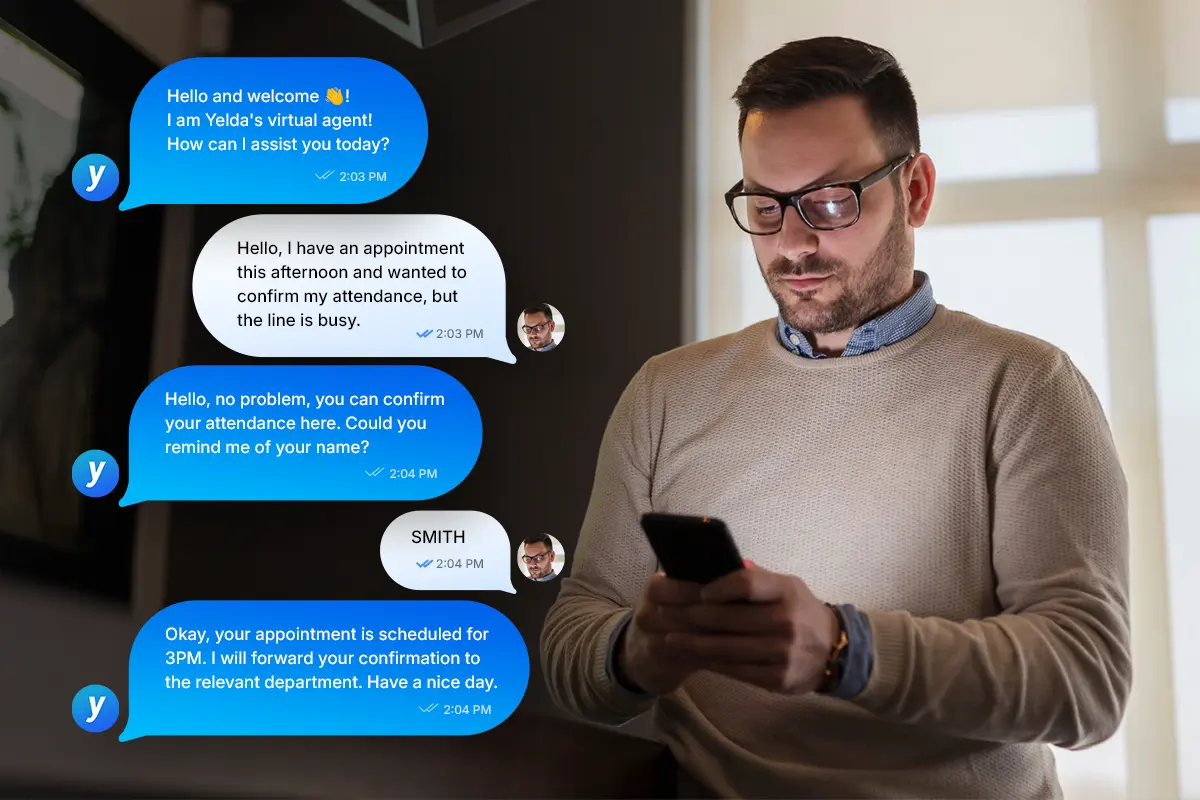
How can you automate your phone reception?
Discover how to automate your phone reception with innovative solutions like callbots and IVRs. Explore the steps and benefits of integrating them.


In a competitive environment where the first impression is everything, the importance of phone reception cannot be underestimated. For businesses, every interaction is an opportunity to persuade, build loyalty, and, above all, polish your brand image.
However, when faced with high call volumes or peak periods, customer reception can become tedious, costly, and sometimes even inefficient. This is where automation comes in, offering an optimal solution to meet the demands of the modern customer.
From call routing to personalized responses, phone reception automation has become an essential lever for customer relations today: faster service, constant availability, increased efficiency, smoother experience, and more.
While this technological transformation allows companies to achieve up to 50% in savings (according to a 2022 Deloitte study, how can it be integrated into customer service? What should you know about its various features? And what about its different versions?
Article summary
Automating phone reception means entrusting initial interactions to an autonomous system, such as an interactive voice response (IVR) or a callbot, before any transfer to an agent. From call routing and answering common questions to scheduling appointments, the scope is broad, and successful implementation relies on how well it integrates with human support, which handles complex cases.
What is phone reception automation?
A major innovation in customer service, automated phone answering is defined as a way to manage customer interactions while reducing human intervention.
Specifically, it uses technological systems such as Interactive Voice Response (IVR) or callbots, designed to handle phone inquiries autonomously. Its primary goal is to provide quick and effective responses, while reducing wait times and improving the customer experience.
However, the integration of these technologies must be carefully managed to ensure they effectively complement human support, particularly when handling more complex cases.
Estimate the gains of a voice agent based on your own call volumes with our ROI simulator.
Why automate your phone answering?
Automating phone answering can no longer be ignored by companies looking to stay competitive in an increasingly demanding market. Indeed, this strategic approach, in addition to strengthening customer service efficiency, allows for optimal human resource management. By taking care of simple and repetitive tasks, automation allows staff to focus on more complex calls.
Furthermore, it offers many other benefits:
- Reduction of operational costs : which translates into a decrease in customer service-related expenses, by 30 to 60% according to a study by McKinsey & Company;
- 24/7 availability, no wait times : customers can contact the company at any time and receive immediate assistance;
- Improved customer satisfaction : thanks to a seamless, personalized interaction experience and relevant, immediate responses.
Another major advantage of automation is how easily it allows you to collect data on customer interactions. Once recorded and analyzed, this information allows companies to adjust their services and make informed decisions based on the specific needs of their clientele.
Callbot: the new AI-powered technology for automating telephone reception
Faced with increasingly demanding customer needs and the company's need to optimize its processes, callbot solutions have become essential for automated telephone reception. Powered by artificial intelligence, these intelligent virtual agents are particularly effective at understanding free-form requests, providing 24/7 responses, and transferring complex calls to the right person.
Understanding the callbot
By definition, a callbot is a software program capable of simulating human conversation. In other words, it is an intelligent system that relies on machine learning algorithms to process customer requests and questions in real time. Thanks to its ability to analyze natural language, it interacts with callers intuitively, providing them with relevant and personalized answers.
In terms of benefits, a voice AI agent can handle simple tasks such as modifying orders or scheduling appointments. Depending on customer requests, it is also capable of routing calls to the appropriate departments.
Likewise, it ensures constant availability and presence, capable of managing a high volume of calls simultaneously without ever faltering. It should also be noted that integrating a callbot into customer service helps to strengthen the company's brand image and boost sales.
How do you install a callbot in your customer service department?
Integrating a callbot into your business is a process that requires careful planning and execution. However, by following key steps, it is possible to implement a high-performance solution tailored to your company's needs.
Step 1: Clearly identify your company's needs
This first phase consists of clarifying your company's specific goals and requirements. To achieve this, it is essential to ask yourself questions such as:
- What is the goal behind installing your callbot?
- What image do you want to project through the tool?
- What type of callbot is best suited to your industry?
- How will it integrate with your existing technology solutions?
Step 2: Choose the right provider
Once your goals are clearly identified, select a reliable callbot provider that fits your needs. To do this, it is advisable to consider certain factors such as:
- The provider's experience and reputation;
- The price and features of the proposed solution;
- The callbot's integration with your existing systems;
- The support offered; etc.
Step 3: Plan the implementation
Carefully plan the callbot implementation by taking into account elements such as the necessary human and technical resources project timelines and milestones, as well as internal communication and employee training.
Step 4: Customize and configure the callbot
Once the provider is selected and the implementation plan is in place, customize and configure the callbot to meet your company's specific needs. First, you will need to adapt the callbot's language and tone to your brand identity. Next, configure the conversation scenarios and integrate it with your customer relationship management systems.
Step 5: Test and adjust the callbot
Before going live, rigorously test your callbot and adjust it based on feedback. To optimize its performance, the key is to conduct several rounds of internal testing with your employees and gather their feedback.
Step 6: Launch the callbot and inform customers
Once you are satisfied with your callbot's performance, officially launch it and inform your customers about this new feature through your communication channels usual channels. Don't forget to explain the benefits of this new solution and how they can use it.
Step 7: Monitor performance and gather feedback
Once in place, regularly monitor your callbot's performance and analyze the data collected. This helps to evaluate the impact on your business. Collect feedback from your customers and employees to identify areas for improvement and optimize your callbot's features accordingly.
Step 8: Continuously improve and optimize
Keep in mind that installing your callbot is an evolving process. With this in mind, ensure you continuously update it in line with your company's changing needs and your customers' expectations. Work closely with your provider to benefit from advice and support throughout this process.
IVR: the traditional solution for automated telephone reception
Although less advanced than callbots, IVR (Interactive Voice Response) remains a viable option for companies looking to optimize their customer reception process.
Understanding IVR
IVR or Interactive Voice Response is a computer system whose primary function is to manage incoming calls by playing pre-recorded messages and offering response options to callers via a numeric keypad. Technically, it allows contacts to interact with a call routing system using Computer Telephony Integration (CTI).
In practice, this automated system can:
- Greet callers and direct them to the appropriate departments based on their choices in the voice menu;
- Answer frequently asked questions (FAQ) by playing pre-recorded messages;
- Collect information from customers (names, contact details, request specifics, etc.).
Integrating an IVR into the telephone welcome offers several advantages to businesses. First of all, the system is accessible at any time, which ensures continuous support, even outside of business hours. Similarly, the approach helps reduce the rate of unanswered calls and, above all, relieves teams during peak periods. The benefit? A significant increase in call center productivity.
Furthermore, an IVR can be integrated with other IT systems, thereby enabling better coordination between the company's various departments. This synergy promotes operational efficiency and contributes to a better customer experience.
Integrating an IVR for customer reception
Here are the steps to follow to set up an IVR in your customer service department:
1. Choose the type of number
Here, you can opt for:
- a standard number assigned randomly by the operator;
- a 4-digit short number that is easy to memorize and dial;
- a mnemonic number featuring repeating digits or sequences that create a "rhyme."
2. Evaluate the cost of incoming calls
In a lead or contact generation strategy, free calls are recommended as they provide an incentive for customers while avoiding extra charges. However, for other objectives such as limiting call volume or monetizing a service, a fee-based structure may be more appropriate.
3. Develop the IVR script
The scenario must be designed to offer an optimized customer experience and a seamless flow with logical steps and limited complexity. In this regard, it is essential to understand customer expectations and create an empathetic and precise journey. To build an effective script, call monitoring sessions and semantic analysis of customer feedback are valuable sources of information.
4. Record voice messages
IVR messages should be short and clear, with a limited number of options. Hold music, meanwhile, should be soothing. For natural and understandable language, it is best to use human voices rather than robotic ones. As for responding to inquiries, answers should be comprehensive yet concise to keep the customer engaged.
5. Redirect incoming calls
This final step involves routing calls to the IVR. For efficient call and customer data management, it is necessary to distribute calls to the appropriate departments or staff and establish a connection between the IVR and the CRM.
How many calls can your voice agent absorb?
Estimate in one minute the number of automated calls and the savings on your own volumes, with our ROI calculator.